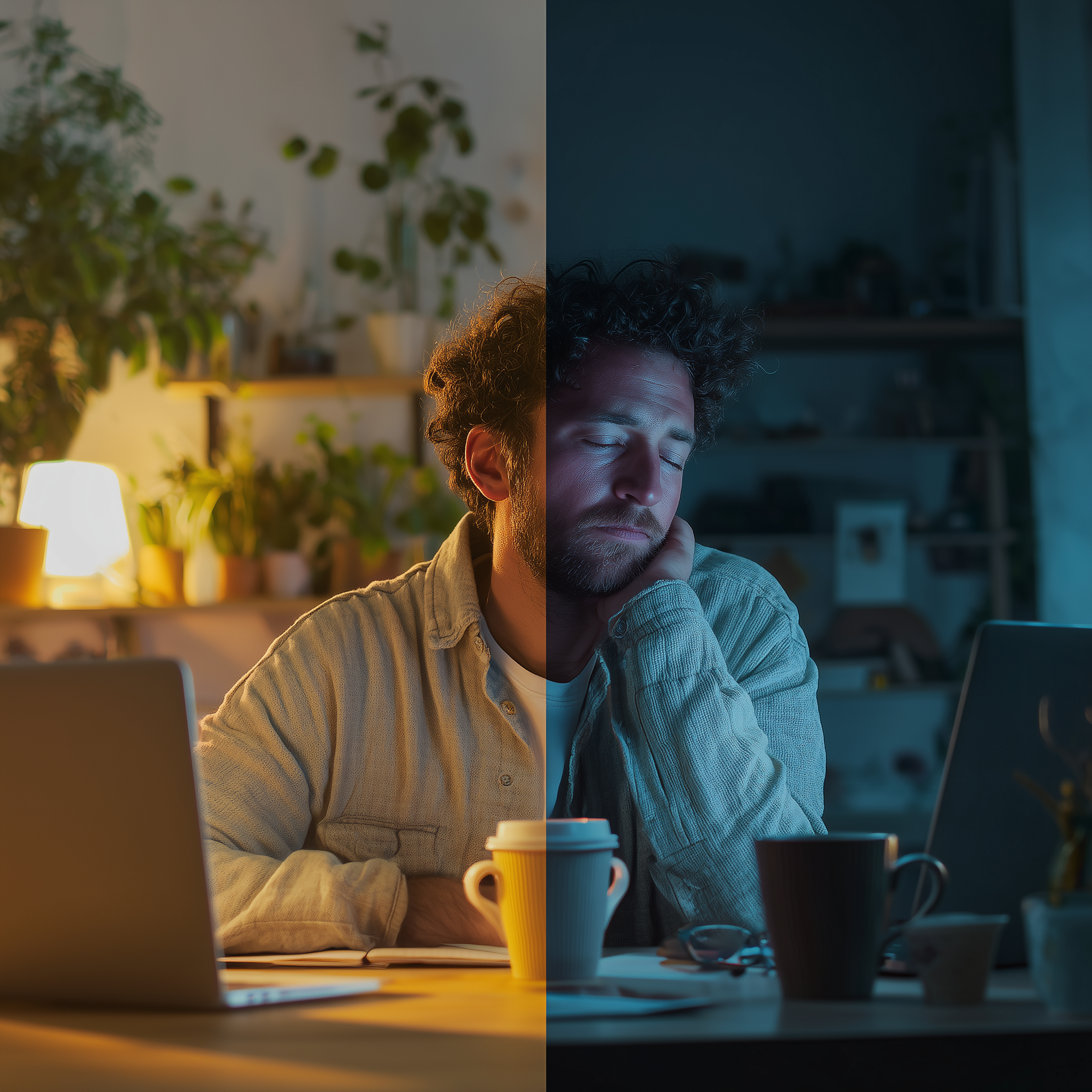
If you’re a remote worker struggling to sleep, you’re probably wondering: “Isn’t working from home supposed to be BETTER for my sleep?”
Here’s the truth that nobody talks about: Remote work can either dramatically improve your sleep or absolutely destroy it—and the difference comes down to just a few critical factors.
Recent research reveals something surprising. While one study shows remote workers sleep 30 minutes MORE per night than office workers, another finds that 42% of remote workers wake up repeatedly during the night compared to just 29% of office workers.
So what’s going on? And more importantly, which side of the sleep paradox are YOU on?
In this article, I’ll break down the science behind why remote work affects sleep so differently for different people, and give you a clear action plan to make sure you’re in the “sleeping better” camp.
The Good News: Remote Work CAN Supercharge Your Sleep
Let’s start with the positive side, because the potential benefits are real and significant.
You Get Back Your Commute Time
Research from the University of South Australia found that remote workers sleep approximately 30 minutes more per night compared to their office-based counterparts. The reason? Australians were previously spending around 4.5 hours per week commuting—time that’s now been redirected toward rest.
Think about it: If you were waking up at 6 AM to commute, you can now wake at 7 AM and still start work on time. That’s 7 extra hours of sleep potential every week.
Less Stress, Better Rest
Studies show that eliminating commutes doesn’t just give you more time—it removes a significant source of daily stress. Long commutes have been linked to poor mental health, higher blood pressure, and chronic fatigue. Removing this stressor can lead to:
- Lower cortisol levels in the evening
- Easier transition to sleep
- Fewer middle-of-the-night awakenings
- Improved overall sleep quality
The Flexibility Factor
Research published in the Journal of Sleep Research in 2025 found something remarkable: compared to full-time onsite work, people working remotely 80-99% of the time showed significant improvements in sleep. Specifically, fully remote workers experienced a 59% reduction in the likelihood of short sleep duration.
Why? Flexibility.
When you control your schedule, you can:
- Work during your peak energy hours
- Take power naps when needed (without judgment)
- Align your work schedule with your natural circadian rhythm
- Build in breaks for exercise or sunlight exposure
One remote worker I interviewed told me: “I used to be a zombie by 3 PM at the office. Now I work my deep focus tasks in the morning, take a 20-minute nap after lunch, and finish strong. I sleep better because I’m not fighting my body’s natural rhythms anymore.”
The Bad News: Remote Work Can Wreck Your Sleep
But here’s where things get complicated. For many remote workers, the dream of better sleep becomes a nightmare.
Your Bedroom Becomes Your Office (The Worst Mistake)
Here’s a startling statistic: nearly half of people who never worked from bed before the pandemic started doing so during lockdowns—and many never stopped.
This is a sleep disaster waiting to happen.
Your brain is incredibly good at forming associations. When you repeatedly work from your bed, your brain begins to associate that space with stress, emails, deadlines, and work. Then, when you try to sleep, your brain thinks: “Oh, we’re in work mode” and keeps you alert.
Sleep scientists call this “stimulus control disruption,” and it’s one of the fastest ways to develop chronic insomnia.
The Boundary Problem
A 2017 study by the United Nations International Labour Organization found something troubling: 42% of remote workers reported waking repeatedly during the night, compared to only 29% of office workers.
The culprit? Blurred boundaries.
When your office IS your home, you never truly leave work. You might:
- Check emails “just one more time” before bed
- Keep your laptop on your nightstand
- Feel like you’re “always on call”
- Work irregular hours that disrupt your circadian rhythm
One remote marketer told me: “I’d be watching TV at 9 PM and remember a task. I’d hop on my laptop for ‘five minutes’ and suddenly it’s midnight, I’m wired, and I can’t shut my brain off.”
Blue Light Overload

Remote work increased overall screen time significantly. Meetings that were once face-to-face are now video calls. Water cooler chats became Slack messages. That presentation review? Now it’s another hour staring at a screen.
The problem isn’t just screen time—it’s WHEN you’re on screens.
Blue light exposure in the evening suppresses melatonin production (the hormone that signals your body it’s time to sleep). For remote workers who work late into the evening or check emails before bed, this means:
- Delayed sleep onset (taking longer to fall asleep)
- Lighter, less restorative sleep
- Difficulty waking up in the morning
- A vicious cycle of poor sleep and afternoon caffeine
The Invisible Stressor: Isolation
While working from home eliminates commute stress, it can introduce a different kind of stress: loneliness.
Research shows that 26% of remote workers who get less than 7 hours of sleep report feelings of social isolation. These feelings of loneliness can lead to:
- Increased anxiety (a major sleep disruptor)
- Racing thoughts at bedtime
- Depression symptoms that interfere with sleep
- Less motivation to maintain healthy routines
The Sleep Paradox Explained: Why It’s Different For Everyone
So why do some remote workers sleep like babies while others toss and turn?
After reviewing dozens of studies and talking to sleep-deprived remote workers, I’ve identified the key factors:
Factor #1: Physical Workspace Setup
Sleeping BETTER: Has a dedicated home office or workspace separate from the bedroom
Sleeping WORSE: Works from bed, couch, or bedroom without clear boundaries
Factor #2: Schedule Consistency
Sleeping BETTER: Maintains regular work hours and consistent sleep/wake times
Sleeping WORSE: Works irregular hours, responds to emails late at night, no clear “end” to workday
Factor #3: Light Exposure
Sleeping BETTER: Gets morning sunlight, uses blue light glasses for evening work, dims screens at night
Sleeping WORSE: Stays indoors all day, works in poorly lit spaces, high screen exposure before bed
Factor #4: Boundary Management
Sleeping BETTER: Sets work hours, turns off notifications after hours, has clear start/stop routines
Sleeping WORSE: Feels “always on,” checks email constantly, no separation between work and personal time
Factor #5: Remote Work Intensity
Sleeping BETTER: Works remotely 80-100% of the time (full commitment to remote lifestyle)
Sleeping WORSE: Hybrid schedules without consistency, or forced remote work without proper setup
The research actually confirms this last point: a 2025 study found a “U-shaped pattern” where full onsite workers and those with inconsistent hybrid schedules had the worst sleep, while those who were mostly or fully remote (with proper boundaries) slept best.
Your Action Plan: Join The “Sleeping Better” Side
The good news? You can shift from the “sleeping worse” category to “sleeping better” with a few strategic changes. Here’s your step-by-step plan:
Week 1: Create Physical Boundaries
Goal: Separate your work space from your sleep space
Action steps:
- Stop working from bed immediately. This is non-negotiable. Even one week of this can start retraining your brain.
- If you don’t have a spare room, create a designated “work corner” using a room divider, bookshelf, or even a specific chair that’s only for work.
- At the end of each workday, physically put away your laptop and work materials. Out of sight = out of mind.
Why it works: Your brain needs clear environmental cues. When your bedroom is only for sleep (and intimacy), your brain will automatically start winding down when you enter that space.
Product recommendations: If space is tight, consider blackout curtains to create a visual boundary, or a folding room divider to separate your “office” from your “bedroom.”
Week 2: Establish Time Boundaries
Goal: Train your brain that work has a start and end time
Action steps:
- Set consistent work hours. Even if you have flexibility, choose a schedule and stick to it for at least two weeks.
- Create a “commute replacement” ritual:
- Morning: Make coffee, take a shower, get dressed (even if it’s just fresh loungewear)
- Evening: Close your laptop, take a 10-minute walk around the block, change clothes
- Set an alarm for 1 hour before your planned bedtime. When it goes off, all work stops. No exceptions.
- Turn off work-related notifications on your phone after work hours.
Why it works: Rituals signal to your brain that you’re shifting modes. Just like your old commute used to transition you from “work mode” to “home mode,” these new rituals serve the same purpose.
Week 3: Optimize Your Light Exposure
Goal: Realign your circadian rhythm for better sleep
Action steps:
- Get outside within 30 minutes of waking up. Even 10 minutes of morning sunlight helps set your body’s internal clock.
- Position your workspace near a window if possible. Natural light exposure during work hours is crucial.
- At 2-3 hours before bed, start dimming your environment. Lower screen brightness, use warm lighting.
- Consider blue light blocking glasses for evening work sessions. (Yes, they actually work—research shows they can improve sleep onset by 15-20 minutes.)
- Install f.lux or Night Shift on your devices to automatically reduce blue light after sunset.
Why it works: Your circadian rhythm is heavily influenced by light exposure. Morning light tells your body “time to be awake and alert.” Reduced evening light tells it “time to wind down.”
Product recommendations: Look for blue light glasses with orange-tinted lenses (not just clear “blue light” glasses, which are often ineffective). Quality options from Felix Gray, Swanwick, or Gunnar typically range from $60-$100.
Week 4: Upgrade Your Sleep Environment
Goal: Make your bedroom a sleep sanctuary
Action steps:
- Assess your bedroom. Is it cool (65-68°F is ideal), dark, and quiet?
- If light is an issue, invest in blackout curtains or a high-quality sleep mask. Many remote workers sleep during odd hours or take naps—controlling light is crucial.
- If noise is a problem (neighbors, street traffic, or household sounds), try a white noise machine or sleep headphones.
- Evaluate your mattress and pillows. Remote workers often spend more time in bed, so comfort matters more than ever.
Why it works: Your sleep environment has an enormous impact on sleep quality. Studies show that even small improvements (like reducing bedroom temperature by 3 degrees) can significantly improve deep sleep.
Product recommendations: Start with affordable wins like blackout curtains ($30-60) before investing in big-ticket items like new mattresses.
The 3-2-1 Sleep Rule for Remote Workers
Here’s a simple framework that transformed my sleep as a remote worker:
3 hours before bed: No more food. Late meals disrupt sleep by raising body temperature and triggering digestion.
2 hours before bed: No more work. This is your wind-down window. Use it for relaxation, light reading, or spending time with family.
1 hour before bed: No more screens. This is the hardest one, but also the most impactful. Read a physical book, do some light stretching, or practice relaxation techniques.
When I first tried this, I thought “There’s no way I can stop working 2 hours before bed.” But within a week, I was falling asleep faster and waking up more refreshed than I had in years.
Common Questions About Remote Work and Sleep
Q: I’m most productive late at night. Should I still follow a consistent schedule?
A: If you’re truly a night owl (chronotype research shows about 10% of people are), you can work late—but you must keep your sleep/wake times consistent. Going to bed at 2 AM is fine if you consistently wake at 10 AM. The key is consistency, not the specific hours.
Q: Can I still take naps while working remotely?
A: Yes! Naps can be one of the benefits of remote work. Keep them short (20-30 minutes) and before 3 PM to avoid interfering with nighttime sleep. Research shows that fully remote workers who maintain good sleep hygiene can benefit from strategic napping.
Q: What if I share my bedroom with a partner who has different work hours?
A: This is tricky but manageable. Use a sleep mask and earplugs for yourself. Consider blackout curtains with light-blocking edges. Some couples even use separate blankets to reduce disturbances. If possible, the partner working can use a small lamp with a warm-toned bulb rather than overhead lighting.
Q: How long does it take to fix remote work sleep problems?
A: Most people see improvements within 2-3 weeks of implementing better sleep hygiene and boundaries. However, chronic insomnia may take longer. If you’ve had sleep problems for 3+ months despite making changes, talk to a sleep specialist.
The Bottom Line: Remote Work Is Here to Stay—And So Is Your Need For Sleep
Here’s what the research clearly shows: remote work itself isn’t the enemy of good sleep. In fact, it has the potential to dramatically improve your rest by eliminating commutes, reducing stress, and giving you more control over your schedule.
The problem isn’t WHERE you work—it’s HOW you work from home.
Remote workers who sleep well are those who:
- ✅ Create physical boundaries between work and rest spaces
- ✅ Establish clear time boundaries with consistent schedules
- ✅ Optimize their light exposure throughout the day
- ✅ Treat their sleep environment as sacred
- ✅ Build routines that signal transitions between work and rest
The remote workers who sleep poorly are those who:
- ❌ Work from bed or bedroom
- ❌ Have no clear end to their workday
- ❌ Stay on screens until right before bed
- ❌ Sacrifice sleep for productivity
- ❌ Ignore the importance of boundaries
The choice is yours.
You have an incredible opportunity right now. Remote work has given you back time, reduced your stress, and offered flexibility that previous generations of workers could only dream about.
Don’t waste this opportunity by sacrificing your sleep.
Start with just ONE change from this article this week. Even small improvements compound over time. Within a month, you could be sleeping better than you have in years—all while enjoying the freedom and flexibility of remote work.
📚 Related Articles You Might Find Helpful:
- 9 Best Blackout Curtains for Remote Workers Who Sleep During the Day
- 5 Sleep-Destroying Mistakes Every Remote Worker Makes
- How to Stop Checking Email Before Bed
About the Author: Tim is a blogger who struggled with severe insomnia during the transition to remote work in 2020. After months of research and testing dozens of solutions, he created restfulremote.com to help other remote workers optimize their sleep without sacrificing productivity.
Disclaimer: This article contains affiliate links. If you purchase products through these links, we may earn a small commission at no additional cost to you. This helps support our research and keeps this content free. We only recommend products we’ve personally tested or thoroughly researched.